Native ACF field type
Appears in your field-group picker like any built-in field. Use it in templates with the ACF functions you already know.
A native Advanced Custom Fields field type that sends uploads to your Vimeo account and hands you back a ready-to-use embed. No bloated media library, no hosting headaches.
One-time purchase, ordered by email. Works with ACF 5+ · Requires a Vimeo account with upload access.
Videos bloat your media library, hammer your hosting and stream badly. Vimeo solves hosting and delivery — but getting a client's upload onto Vimeo usually means a manual dance of downloads, re-uploads and copy-pasted embed codes.
This plugin removes that step. Your client uploads once, in the ACF form they already use, and the video lands straight on your Vimeo account — ready to render in your templates.
Register a Vimeo app once, then drop the Client ID, secret and access token into the plugin settings.
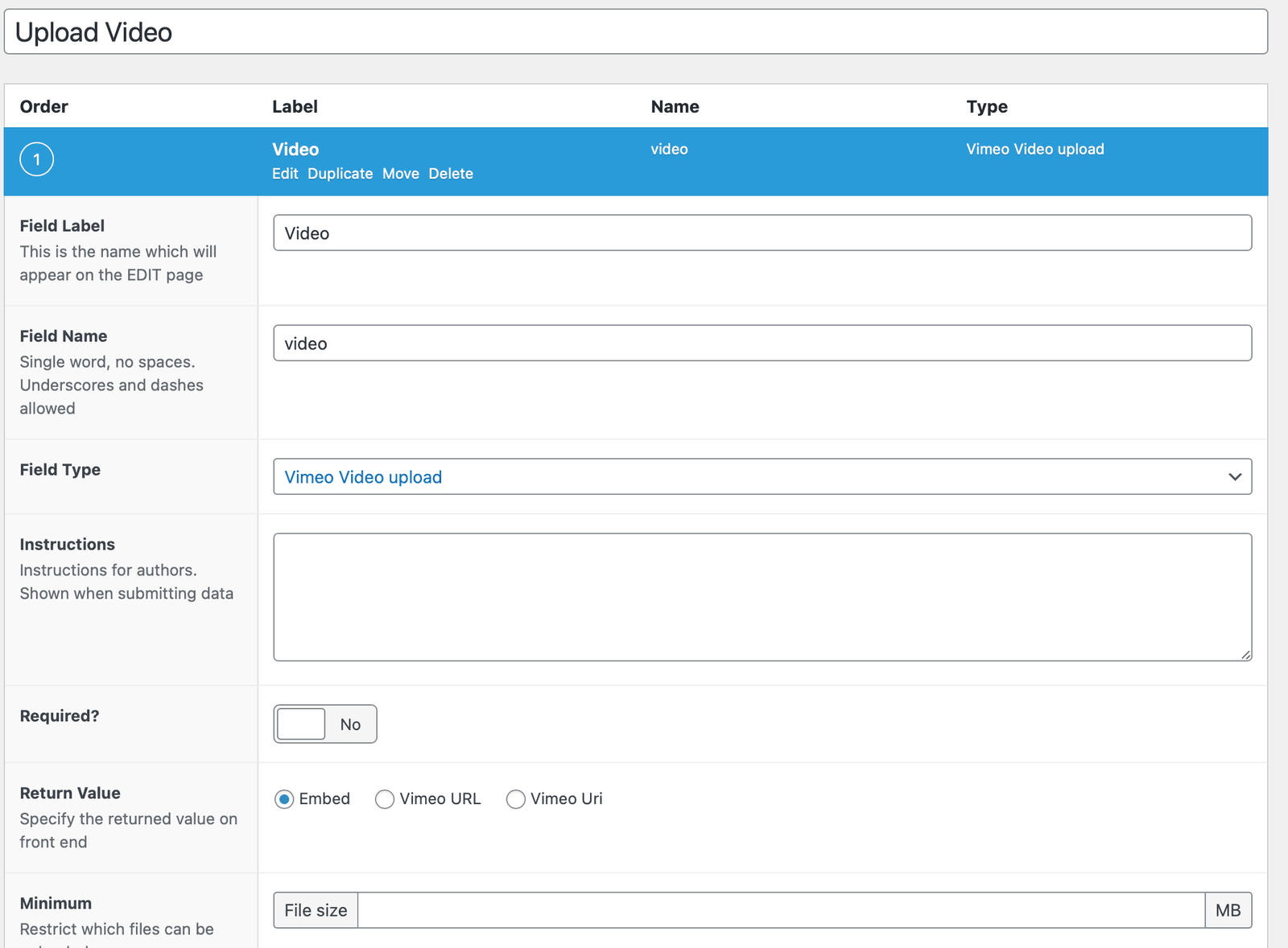
In any ACF field group, pick the new Vimeo Video Upload field type and choose what it returns.
They upload from the normal edit screen. The file goes straight to Vimeo and the field returns a ready value.
Appears in your field-group picker like any built-in field. Use it in templates with the ACF functions you already know.
Uploads go directly to your own Vimeo account through the official API — nothing heavy is stored in WordPress.
Pick the return value per field: a ready-to-use embed, or the plain Vimeo URL for full control in your templates.
Your clients upload from the same edit screen they already use. No Vimeo login, no copy-pasted embed codes.
No multi-gigabyte media library, no backup bloat, no fighting your host over upload_max_filesize.
Configure the allowed file size per field so uploads stay comfortably within your Vimeo plan.
A short screencast of the Vimeo Video Upload field working inside the WordPress editor.
The plugin talks to Vimeo through their official API, so you connect it once and it just works for every field afterwards.
€19.90
No subscription — buy it once.
Send a short order email to [email protected] — you'll get payment details, the plugin zip and a proper invoice by reply.
Yes. The plugin registers a new field type inside Advanced Custom Fields, so you need ACF 5 or newer installed on your site.
Yes. Uploading through the Vimeo API requires a Vimeo plan that includes upload/API access. The plugin always uses your own Vimeo account.
Exactly like any other field. They open the post or page, choose a video file in the Vimeo Video Upload field, and save. The upload lands on your Vimeo account automatically.
Whatever you configure: a ready-to-use embed or the plain Vimeo URL, so you can render the video however your template needs.
By email. Send a short order to [email protected] (the buy buttons prefill it for you) — you'll receive payment details, the plugin zip and an invoice by reply, usually within one business day.
As a standard WordPress plugin file (.zip), sent to you by email. Install it under Plugins → Add New → Upload, activate it, and add your Vimeo API keys in the settings.
See our refund policy for digital products.
Add the Vimeo Video Upload field to ACF and stop wrestling heavy video files in WordPress.